
Load Radar: Load Hub Alerts When Freight Posts
Load Radar is the Load Hub feature that watches your lanes across connected boards and alerts you the second a matching load posts.
Product
Load Radar: Load Hub Alerts When Freight Posts
The problem: good loads do not wait
Every dispatcher knows the move. You set up a search on the board, scan the results, then refresh. A minute later you refresh again. And again. You are not doing this because refreshing is productive work. You are doing it because timing is everything, and the best load on a hot lane does not sit around waiting for you to look. On the lanes that matter most, the strongest postings get covered fast, and the dispatcher who checks five minutes late often sees only the leftovers.
That manual rhythm has a hidden cost. While you are babysitting one board, you are not on the phone with a driver, not negotiating a rate, not planning the next reload. Worse, no human can watch every board at once. Freight that matches your truck perfectly can appear on a source you were not looking at, sit for a few minutes, and disappear before you ever see it. You end up structurally late, not because you are slow, but because manual monitoring cannot keep pace with how quickly a live market moves.
This is the gap Load Radar closes. It is the alert layer inside Numeo's Load Hub: the part that keeps watching when you step away from the board, so that the moment a load matching your criteria appears on any connected source, you hear about it immediately instead of stumbling onto it later or missing it entirely.
What Load Radar does
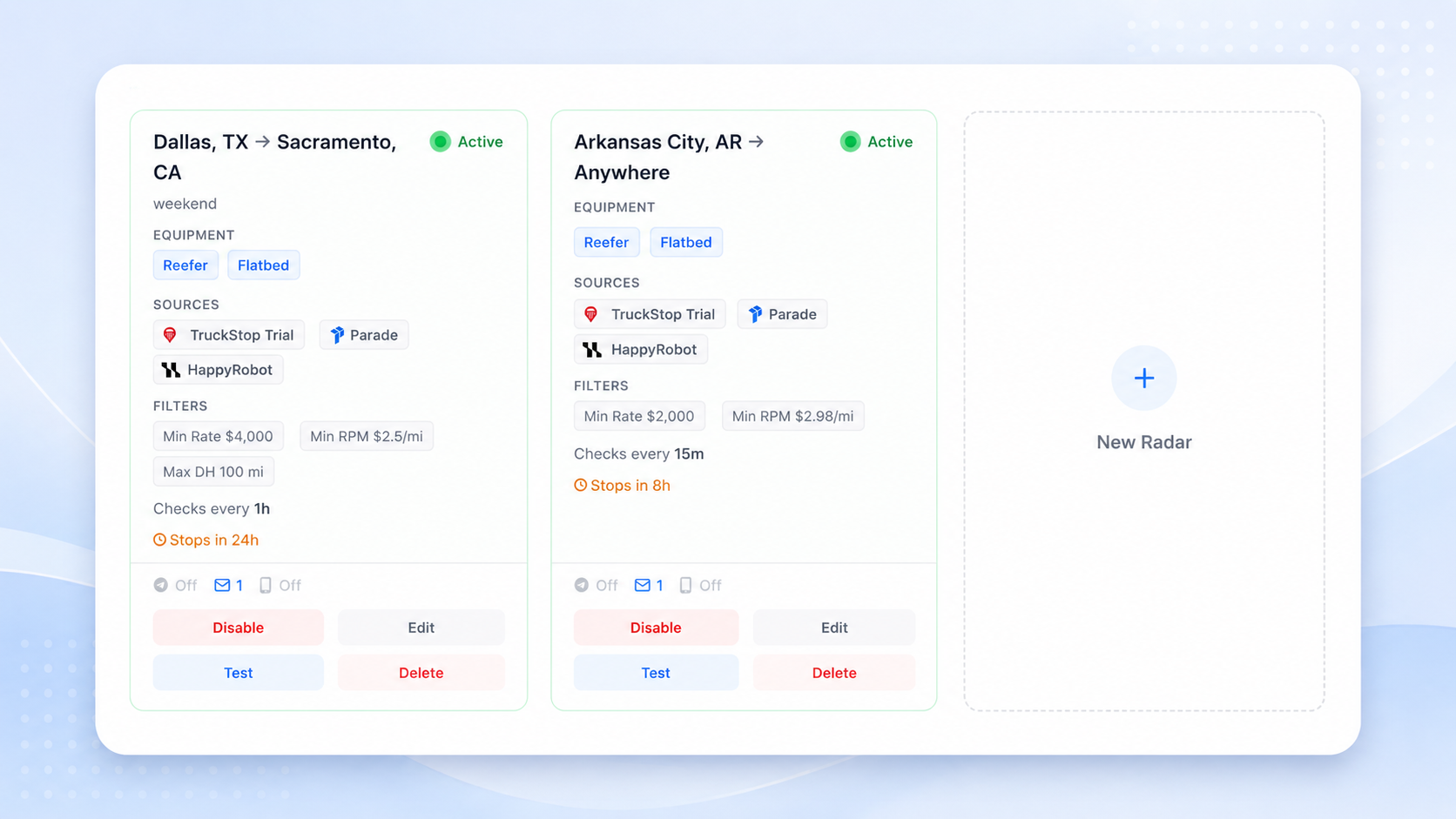
Load Radar runs your saved searches continuously in the background across your connected load boards and broker portals. You define what a good load looks like once, and Load Radar watches for it around the clock. When a new posting matches your lane, equipment, rate floor, and deadhead rules, it pushes an alert straight to you. The alert carries the essential load details and, where possible, a direct link to open it in Load Hub so you can move on it right away.
The key word is continuous. Load Radar is not a faster version of you hitting refresh. It is a persistent monitor that polls and listens for new postings the instant they go live, with no human in the loop until there is something worth your attention. That continuous operation is the whole point: it shrinks the gap between the moment freight appears and the moment you know about it, which on a fast lane is exactly the difference between booking the load and reading about it after it is gone.
It is worth being precise about what Load Radar does not do. It does not book loads for you, and it does not negotiate rates. It is an early-warning system, not an autopilot. You stay in full control of every commercial decision: Load Radar simply makes sure you are the dispatcher who gets the qualified signal first, then hands the load straight to you to evaluate, call on, and book through your existing workflow.
How a saved search becomes a watch
The simplest way to understand Load Radar is to see what a saved search actually is. A saved search is not a convenience toggle. It is a structured expression of your carrier's intent: the equipment you run, the origin and destination pattern you want, the rate you need to clear, the deadhead you will tolerate, and the operating constraints that define a load you would actually take. You are encoding your booking logic into a filter.
Load Radar turns that intent into a watch process. Instead of asking a person to keep checking whether the market has produced a matching load, the system watches for the match and notifies you when your criteria are met. You can keep several saved searches running at once, each tuned to a different lane, equipment type, or rate target, so a dispatcher covering multiple trucks or markets can monitor all of them in parallel without splitting attention across a dozen browser tabs.
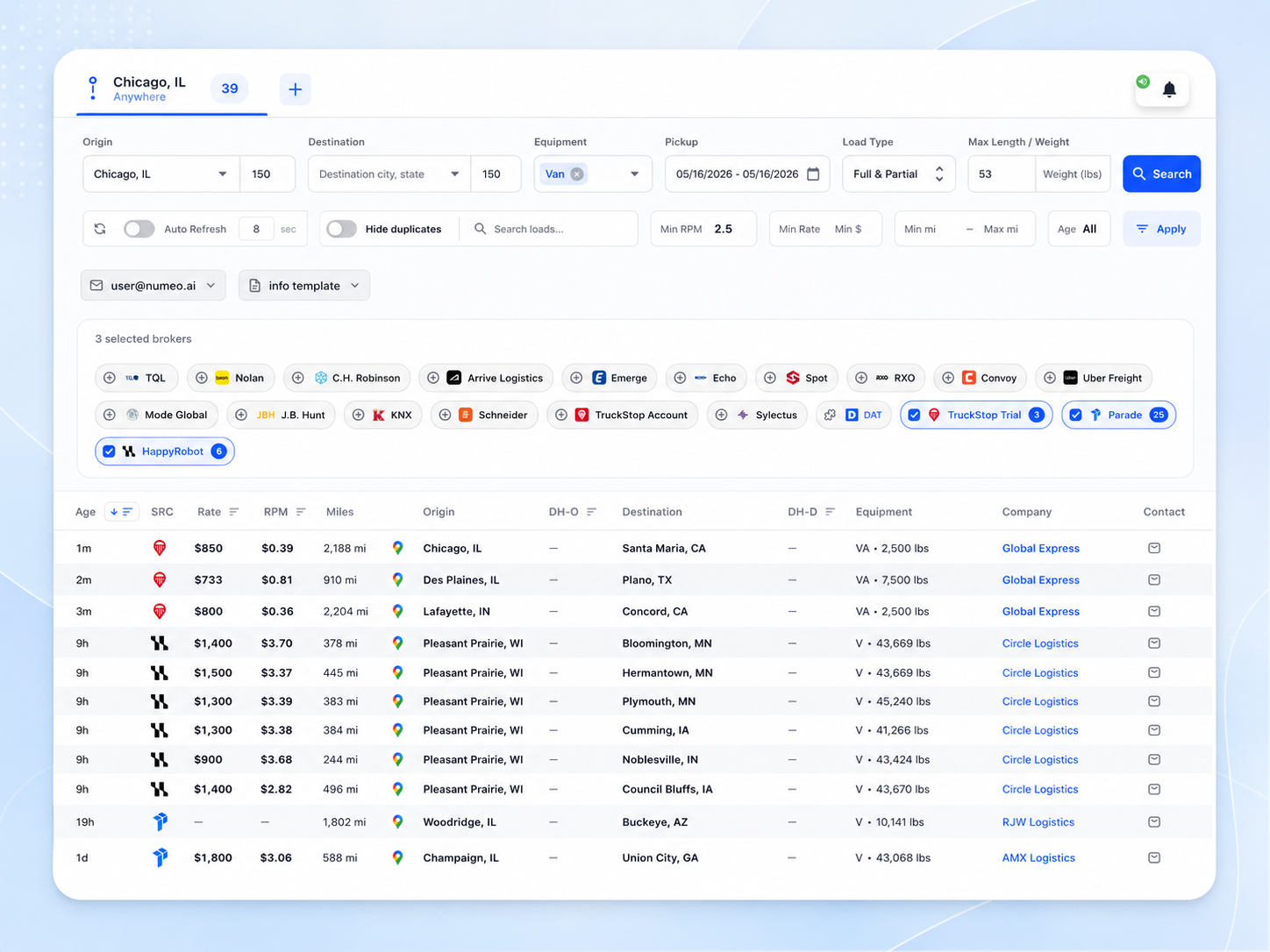
This is also why Load Radar sits alongside Load Hub rather than replacing it. Load Hub is where you actively search and work the market with your own hands. Load Radar is what keeps watching when you are doing something else. One is the board you drive; the other is the monitor that never blinks. Keeping that distinction clear is what makes the feature easy to trust: it is not a generic alerting gimmick, it is a persistent monitor for freight that matches specific commercial criteria across your connected sources.
How to set alert rules that actually help
A monitor is only as good as the rules you give it, and this is where a few minutes of thought pays off for weeks. The goal is a saved search that is specific enough to be quiet but broad enough to catch the freight you want. Set it too wide and Load Radar will buzz your phone for loads you would never take, which trains you to ignore the alerts. Set it too narrow and you risk filtering out the load that was actually a fit. The sweet spot is a search that fires only when something is genuinely worth a call.
Start with the three rules that do the most work. Your lane defines the geography, and you can pitch it at whatever granularity fits your operation, from a tight city pair to a broad region around your truck's next available point. Your rate floor is your profitability guardrail: set the minimum you will accept and Load Radar simply will not alert you on anything below it, so low-margin freight never makes it to your phone. And your deadhead tolerance keeps the math honest, because a load is only as good as the empty miles it takes to reach it. As a practical anchor, healthy deadhead on most lanes runs somewhere in the 15 to 30 percent range of loaded miles, so setting a ceiling in that neighborhood is a reasonable starting point you can tighten or loosen as you learn the lane.
Layer the rest on top once the core is dialed in. Equipment type filters to the trailer you run, whether that is van, reefer, or flatbed, and you can add constraints like load type or weight to sharpen the match further. The best approach is to run a search for a few days, watch what it surfaces, and adjust. If you are getting too many alerts, raise the rate floor or tighten the lane. If a search has gone quiet on a market you know is active, loosen the deadhead or widen the origin. Markets move, your fleet's needs change, and your rules should change with them. A saved search you revisit every couple of weeks stays sharp; one you set and forget slowly drifts out of step with reality.
Why this matters for how you dispatch
The freight market is enormous and fast. A single large network like DAT moves on the order of 1.7 million-plus trucks and posts upward of 500,000 loads a day, and that volume is spread across thousands of carriers, most of them small. FMCSA counted roughly 787,000 carriers as of December 2023, and per the ATA around 91.5 percent of them operate ten trucks or fewer. That is a market where a small carrier is competing for capacity against a flood of postings, with none of the staffing a mega-fleet uses to watch the boards. Being first to a good load is not a luxury in that environment; it is how a lean operation wins freight it would otherwise lose to whoever simply happened to refresh at the right second.
Load Radar shifts the starting line. Instead of opening a blank board and beginning the hunt, you begin with a qualified signal: a load that already cleared your rate floor, fits your lane, and respects your deadhead. The cognitive load drops, because you are no longer the watchdog and the dispatcher at the same time. The repetitive monitoring that used to eat your attention runs itself, and your hours go back to the work that actually requires a human, which is the calls, the negotiation, and the judgment about whether this particular load fits this particular driver, his hours, and his next appointment window.
None of that removes the need for you. An alert is not a booking, and Load Radar is deliberately built to keep it that way. It tells you the market just produced something worth your attention; you decide what to do about it. For teams running repeat lanes, holding firm rate floors, or freeing up trucks at predictable times, that combination of a tireless monitor and a human in command is the whole pitch: you stop losing good freight to a slow refresh, and you keep every decision that matters in your own hands.
If you want to put a watch on your lanes, it starts in Load Hub with a single saved search and a 14-day trial.
Try Numeo
Ready to find better loads?
Numeo automates load search, rate negotiation, and broker emails — so you spend more time moving freight.
Explore Numeo
Related posts
Is AI Dispatch Worth It for Small Carriers?
A straight answer for carriers with 1 to 10 trucks: when AI dispatch actually earns its keep, and when you are better off skipping it.
Mar 24, 2026 · 7 min read
GuidesIs RPM Enough? How to Evaluate a Load Beyond Rate Per Mile
Rate per mile is one input, not the answer. A real checklist for evaluating a load beyond RPM: all-in rate, detention, lane strength, broker pay.
Mar 5, 2026 · 9 min read
Company NewsNumeo at TIA 2025: Recap from San Antonio
A few days at TIA 2025 in San Antonio left us with clear takeaways on AI, tariff uncertainty, tightening margins, and rising fraud.
Apr 12, 2025 · 1 min read